Fixing Configuration Errors Found During Validation
The buttons at the bottom of the Validation view can be used to fix most anomalies found during validation. When you select a highlighted item from the results list, the buttons that are applicable to the problem will be enabled.
| Button | Function |
|---|---|
|
Start |
Click to start the Validation of the SVCMON. |
|
Reset TRS Entries |
Use to add missing, or to reset invalid SVCMON UDC definitions in the Table Reference Service. |
|
Reset Template Points |
Use to reset invalid Template Point configuration records. |
|
Reapply Template |
Reapplies the Template Point’s configuration properties to an invalid SVCMON Point. |
|
Configuration Editor |
Opens the PNT Editor so that the point can be manually fixed. |
|
Fix |
The SVCMON Administration has the ability to take default action to fix an anomaly found during validation. |
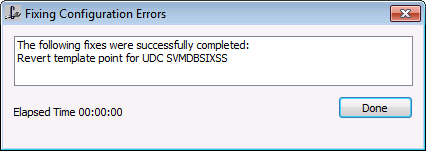
After selecting a fix option, a message box will be displayed indicating the results of the fix.
|
Fixing Configuration Errors |
Not all problems may be able to be resolved using the Validation fix options. You may have to delete and re-add points. See Invalid Timers.

